The people you watch over.
And the people who watch over you.
Check In Circle isn't one-way. Everyone in your circle uses the same app. Everyone checks in for the people they love. And everyone knows when their people are okay - without hovering, without asking, without a running group chat.
Same app. Both directions.
You check in every morning. She checks in every morning. You each get a quiet confirmation the other is okay. If either of you goes quiet, the other is the first to know.
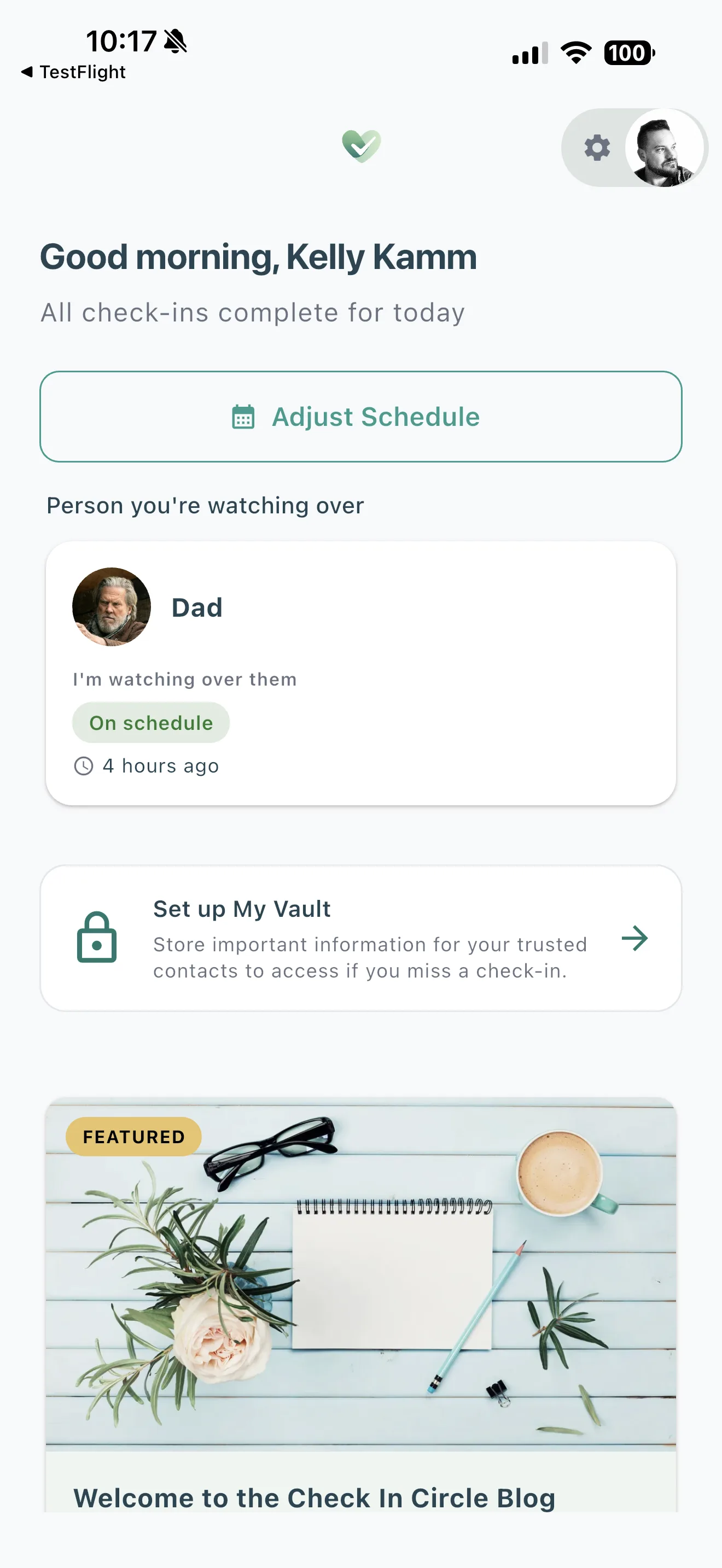
On iOS
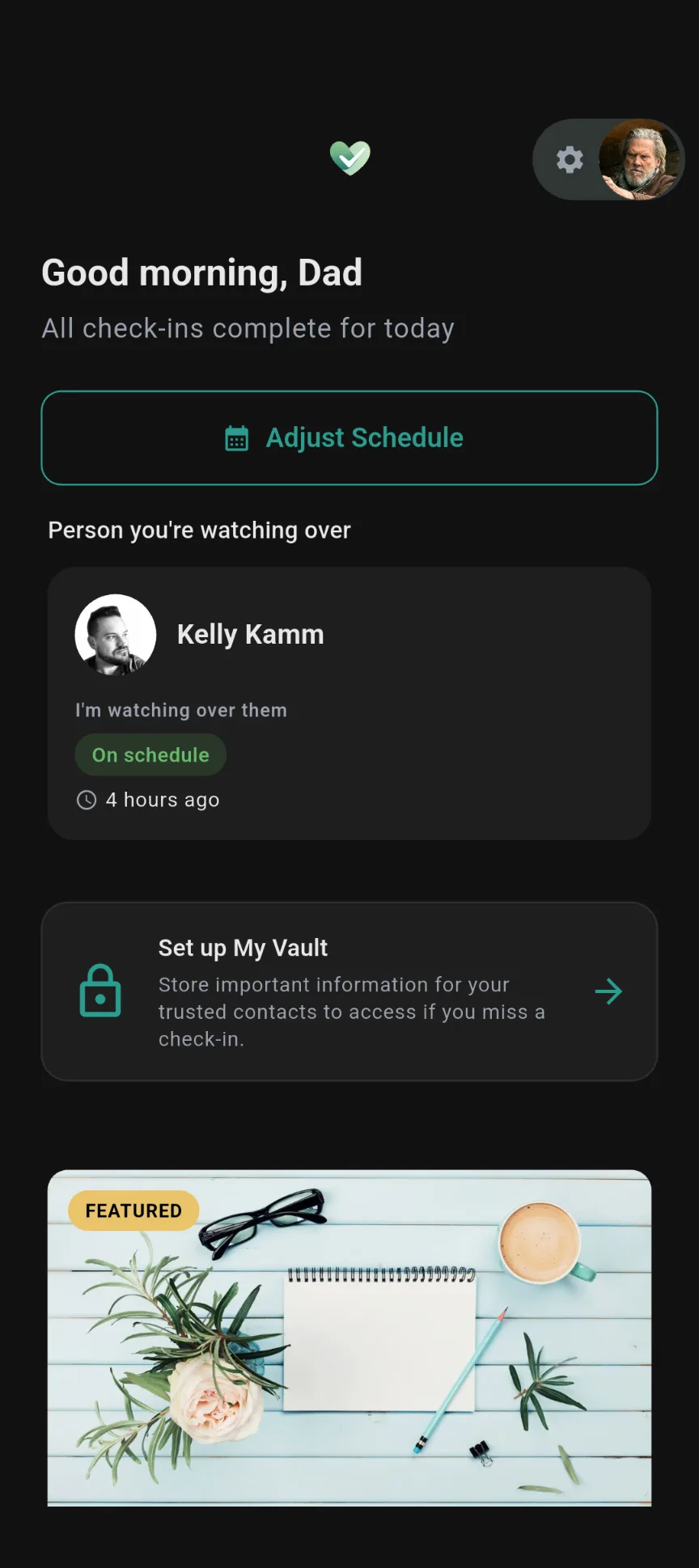
On Android
The circle flexes around whatever shape your people take.
Or they can stay on the web.
Some people would rather stay on text and email, and nothing changes for them. They still get alerts if you miss a check-in. They still open your vault through a web link if it ever releases.
Covered either way.
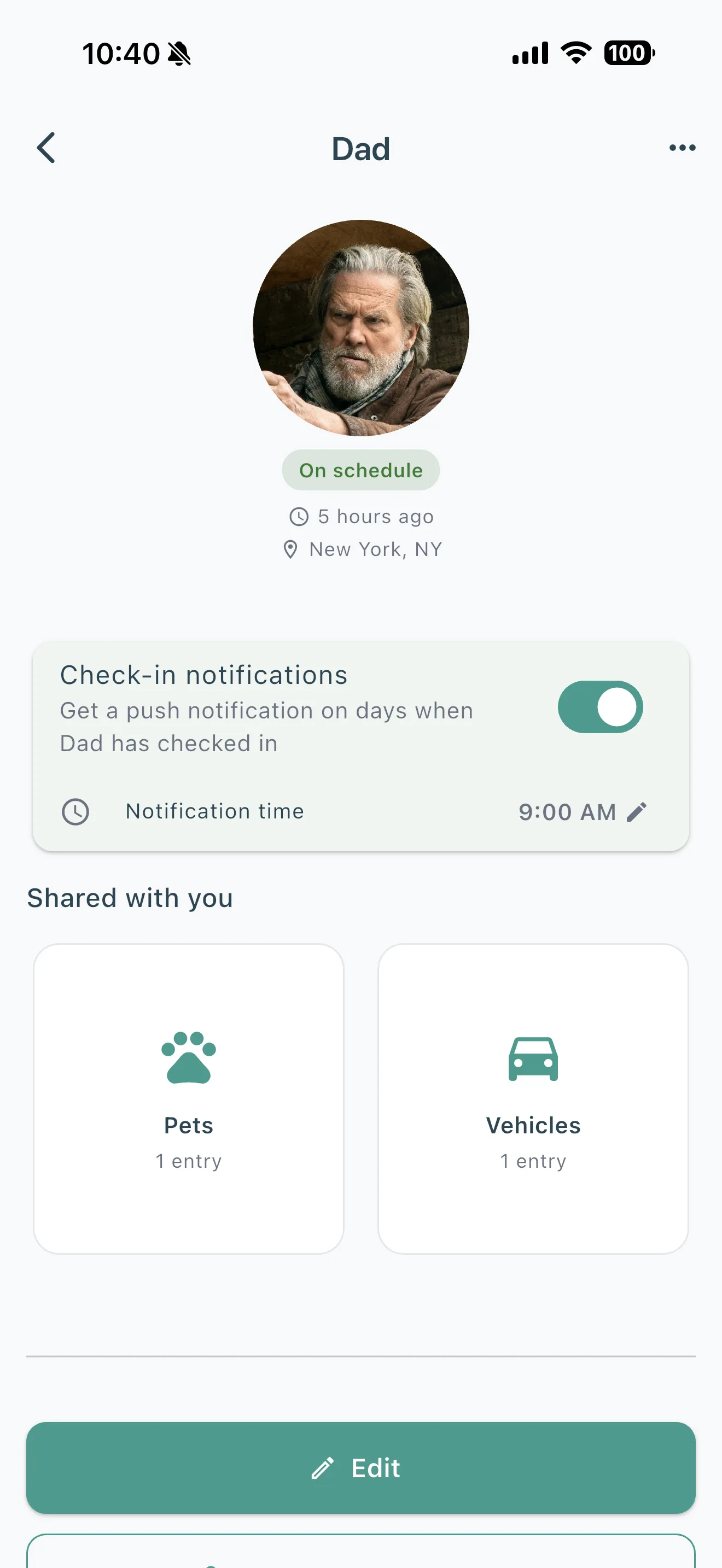
See your circle at a glance.
Open the app and the whole circle is right there. Who checked in today. Who's traveling. Who you haven't heard from yet. Tap into anyone for the detail.
Last check-in
A quiet timestamp. Today, yesterday, three days ago. You can read the whole circle in two seconds.
City, if they share it
No maps, no breadcrumbs - just the name of the place they checked in from, and only if they opted in.
Vault, shared ahead of time
The sections they chose to share with you - visible right now. Not waiting on a missed check-in to show up.
A ping when they check in
Turn on a notification for anyone in your circle. Their morning tap becomes your nudge. You'll know they're okay before you even open the app.
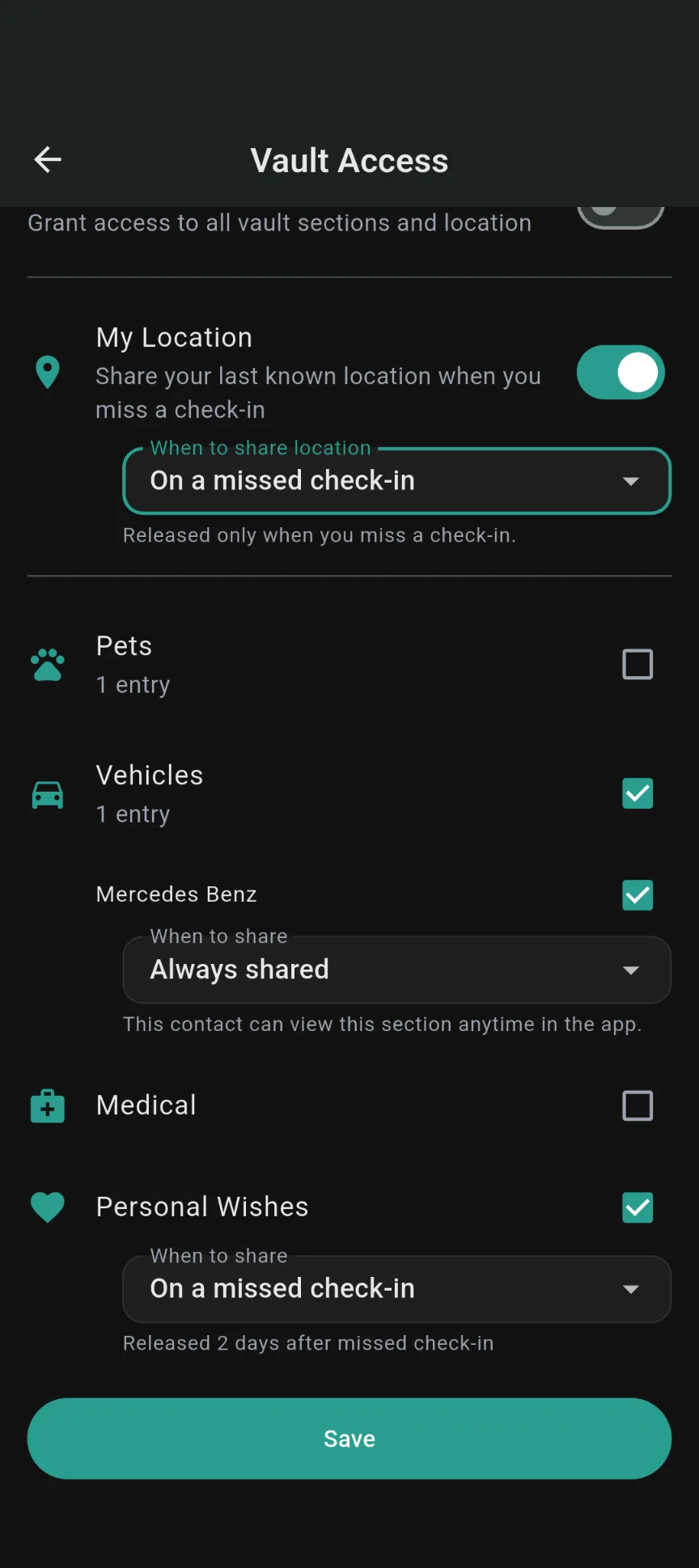
Share ahead of time, not just after.
You can share vault sections ahead of time, not only after a missed check-in. Your spouse can see your medical section starting today. Your neighbor can pull up pet-care instructions before you leave town. Set it once and they have it.
Three modes, per contact, per section: Not shared, On missed check-in, or Always shared.
How the vault worksYou stay in control.
Being in someone's circle doesn't mean giving up privacy. Every setting is opt-in, per contact, and reversible.
Check-in status
On by default for each person in your circle. Turn it off for anyone, any time.
Location
Off by default. You decide who sees the city you checked in from - per contact.
Vault sections
Default to "Not shared." You pick which sections each person sees, and whether they see them now or only if you miss a check-in.
Remove anyone, any time
Someone in your circle is still a trusted contact. Remove them and they're notified - no silent drops.
Being invited is a two-way street.
Someone invited you? They're probably already in your life - a parent, a partner, a friend who worries. The easiest next step is usually to add them back.
Two people. One app. Both watching out for each other.
Peace of mind, delivered. Both directions.
Add the people you watch over. Let the people who watch over you add you back. Everyone checks in from the same app.