Closing the Loop: Why Safety Works Better When It's Mutual

When we first built Check In Circle, we pictured it as a one-way relationship. You check in. Your people get notified if something goes wrong. A quiet safety net under an independent life.
That picture worked, mostly. But there was a moment we kept hearing about from users - and it was the same moment every time.
A trusted contact gets a text or an email. Your daughter, your best friend, your mom. “You’ve been added as a trusted contact for…” They tap the link. They verify. They say yes.
And then nothing.
For us, that silence was the whole point. No alarm means no emergency. If the app stays quiet, the system is working. But for the person on the other side, that same silence started to feel like something else - a one-way door they walked through, without any way to look back.
They knew you’d given them an important role. They just had no way to tell whether you were actually okay today. No little confirmation. No status. No “yep, she checked in.” Just the faith that if something were wrong, they’d hear about it.
For the people who treat this as a real lifeline - and a lot of users do - that was harder than we realized. The absence of bad news isn’t the same as the presence of good news. Especially when the person you’re watching over is your parent, or your partner, or someone you genuinely worry about.
So for 2.0, we rebuilt Check In Circle to go both ways.
The One-Way Problem
Here’s the thing about a one-way safety app: it only talks when something’s wrong.
That sounds efficient. Most of the time, nothing is wrong, so most of the time the app stays quiet. Mission accomplished.
But the people who love you aren’t waiting for the alarm. They’re waiting for the “okay.” And a silent app is ambiguous. Did she check in? Is she traveling today? Is it still morning where she lives? Is she fine and I just haven’t heard?
The truth is that safety isn’t a binary - it’s a running relationship. You want to know the people you care about are okay not just in the moment of crisis, but every day in between. The calm matters as much as the alarm.
So we stopped thinking of trusted contacts as an address list that gets pinged in emergencies, and started thinking of them as people who deserve their own front door.
Your People Have an App Now
In 2.0, if you’re a trusted contact, you can open Check In Circle and see your people. Not the full detail of their lives. Not their location on a map. Just the quiet, confirming signals that everything is normal.
- Their last check-in, with a timestamp.
- Their next scheduled one.
- Optionally, their general location (city and state) if they choose to share it.
- A soft buzz when something changes, not just when something goes wrong.
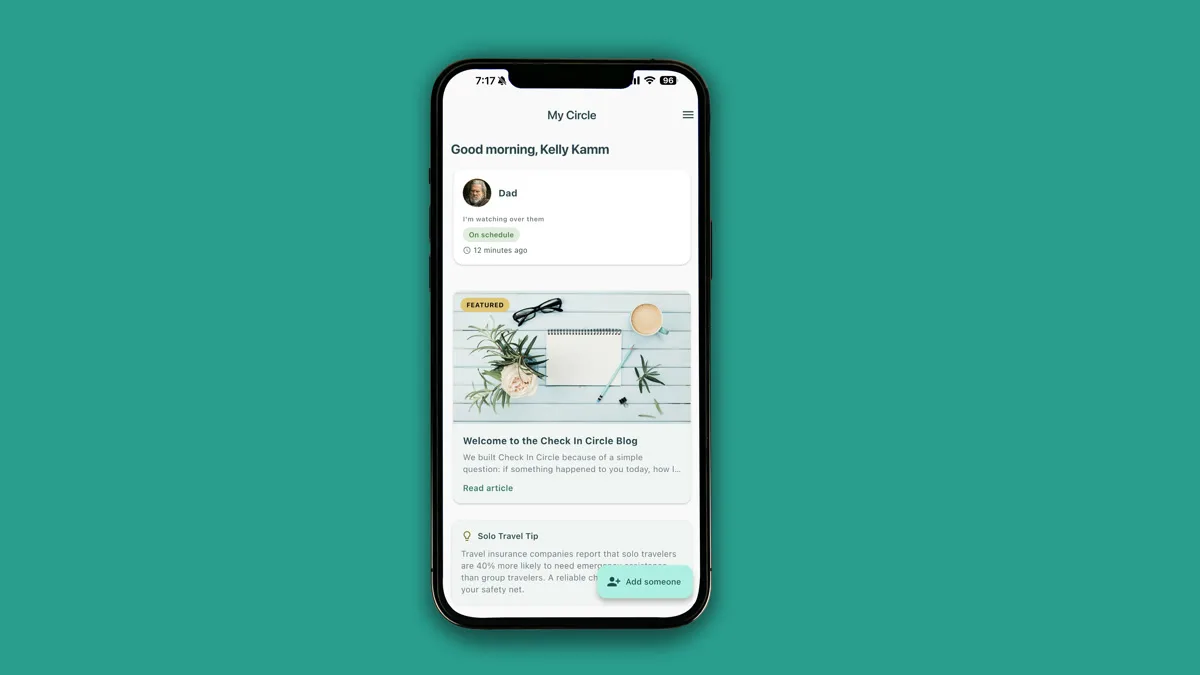
That last part matters. The notifications in version 1 were built for alarms. The ones in 2.0 are built for rhythm. A little hum when your mom checks in. A gentle tone when your husband arrives in a new city. The quiet data points that, together, tell you: she’s okay, he’s okay, everything is normal.
For a parent watching over an adult child, this changes the relationship from anxious to assured. For a spouse whose partner travels, it changes travel from “I’ll text you when I land” to an ambient, almost felt awareness.
And for the person checking in, it changes something more subtle: you know the people who care about you are actually getting the signal. The one-way becomes a handshake.
The Buddy System
Once both sides have the app, something new becomes possible: you can watch over each other.
Best friends who live alone in different cities. Siblings keeping tabs on each other after their parents passed. Couples where both people travel for work. Outdoor enthusiasts who want a pair of eyes on each other, without making anyone “the worrier.”
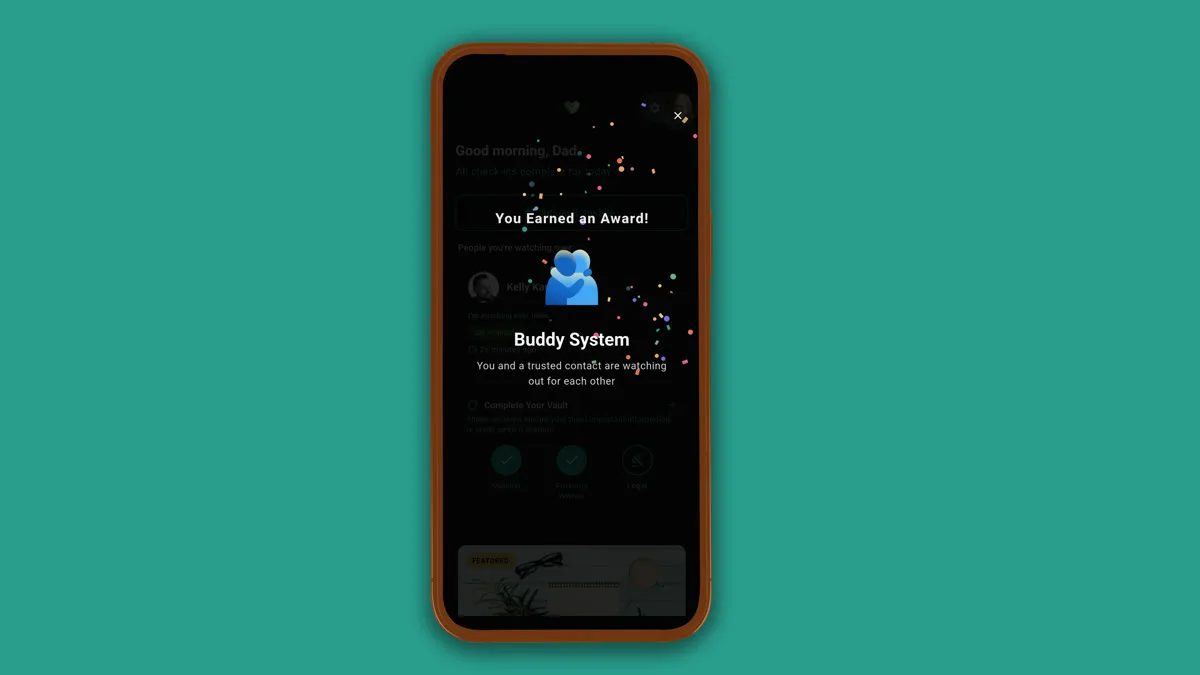
We added a small award for this - the Buddy System - because it deserves one. Mutual safety isn’t just efficient. It’s more honest. There’s no hierarchy, no designated safety person, no one-sided debt. You’re just two people who’ve decided to notice each other, every day.
It’s the kind of relationship that used to happen naturally in small towns and tight-knit neighborhoods. A quiet, reciprocal looking-out. We didn’t invent it. We just gave it a name and a button.
Sharing Before the Emergency
The other big shift in 2.0: your vault can now work when nothing is wrong.
In version 1, vault sections were held in reserve. Everything stayed locked until a missed check-in triggered release. That made sense for the original model - information released in emergencies.
But we kept hearing from users that a lot of what they stored wasn’t really “emergency info” at all. The Wi-Fi password their visiting parents needed. Their pet sitter’s number. The name of the dog’s food brand. The general itinerary of next week’s trip. Things they’d happily share right now, if the app let them.
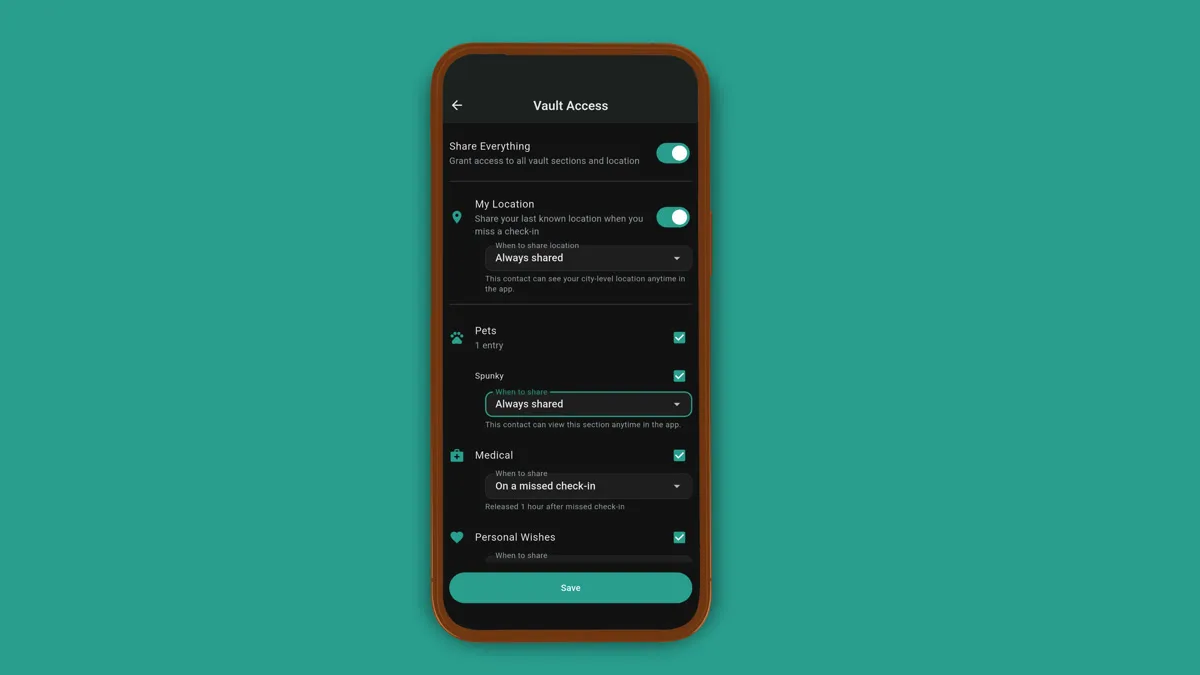
So we added “Always shared” - a simple toggle that gives a trusted contact access to a specific section of your vault right away, not only if a check-in is missed.
This turns the vault into something more useful on normal days. Your spouse can look up the Wi-Fi password without calling you. Your house sitter can find the pet emergency number without texting. Your adult daughter can see your general travel plans without you having to remember to forward the itinerary.
None of this is dramatic. All of it is the quiet, practical kind of sharing that used to require sticky notes on the fridge and group texts with five attachments.
One Home for Your Circle
In earlier versions, the people you watched over and the people watching over you lived in different places. “Trusted Contacts” was one screen. Anyone following you was somewhere else. It made sense when these were different relationships. It stopped making sense once we realized most of them weren’t.
Your mom watches over you. You watch over her. That’s not two contacts. That’s one relationship.
So in 2.0, Trusted Contacts and My Circle are now a single “My Circle” page. Everyone you watch over and everyone watching over you, together, on one screen. You can give each person a nickname only you see. You can see the status of each relationship at a glance.
It’s a small UI change. It’s a bigger philosophical one. Your safety network isn’t a list of designated contacts. It’s a web of people, and each person in that web matters equally.
Inviting Someone In
The last piece is how people join. In version 1, adding a trusted contact meant typing in their name, number, and email. Not hard, but not easy either - and for older users, sometimes a barrier.
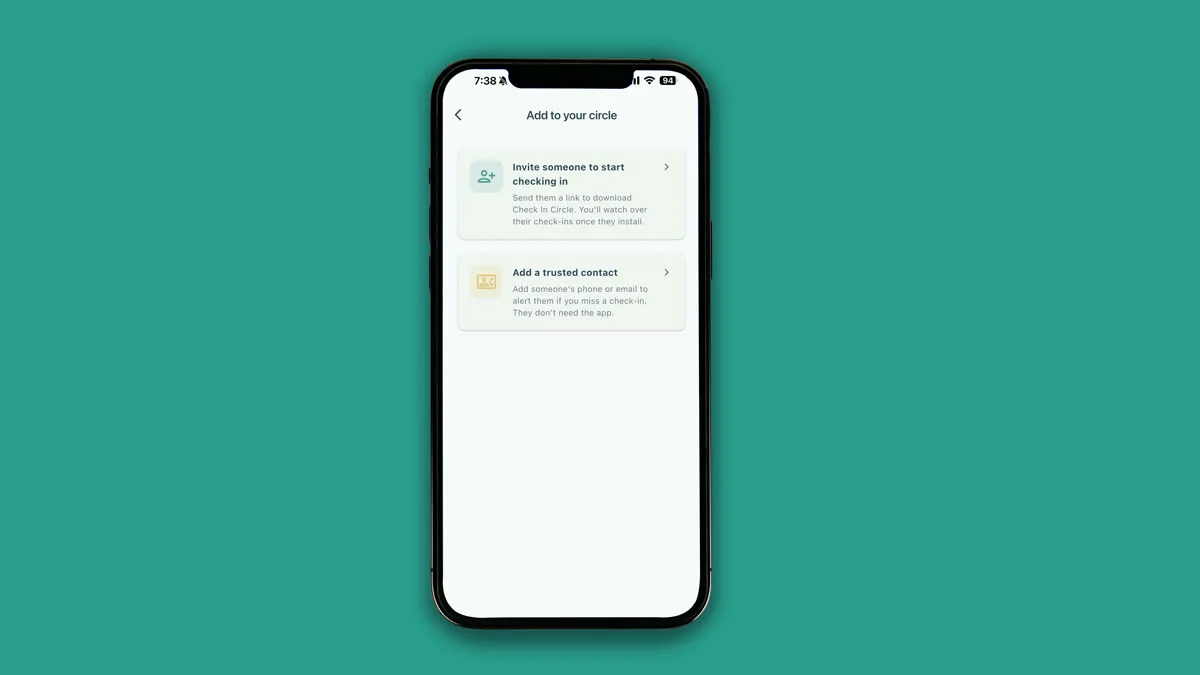
In 2.0, you can pick someone from your phone’s contacts and send them an invite in two taps. If they’re already on Check In Circle, they get a push notification. If not, they get a text with a link.
This matters most for the hardest case: setting up the app for a parent who’s not going to figure it out themselves. A daughter in another state can set up an account, invite her mom, and walk her through the setup on a phone call without having to type everyone’s info twice.
Safety tools only work when people actually use them. We spent a lot of 2.0 making the path from “I want to try this” to “it’s set up for my whole family” as short as possible.
The Bigger Idea
When we started this company, we kept asking each other what the actual product was. It wasn’t a check-in button. It wasn’t a vault. It wasn’t a notification system.
It took us a while to realize: the product is the circle itself.
The relationship between a person who lives alone and the people who love them. The relationship between a parent and their adult child. Between siblings, between partners, between best friends separated by distance. The quiet agreement that we’re going to keep an eye on each other.
That relationship was already there. Before the app. Before any app. People have been checking on each other since forever - through phone calls, visits, drop-ins, text messages at awkward times.
All we ever wanted to do was make that easier. Quieter. More consistent. And in 2.0, we finally made it mutual - because that’s what it was always supposed to be.
The circle goes both ways now. It always should have.
Check In Circle 2.0 is available now on iPhone, iPad, Apple Watch, Android, Wear OS, and tablets. Learn more.